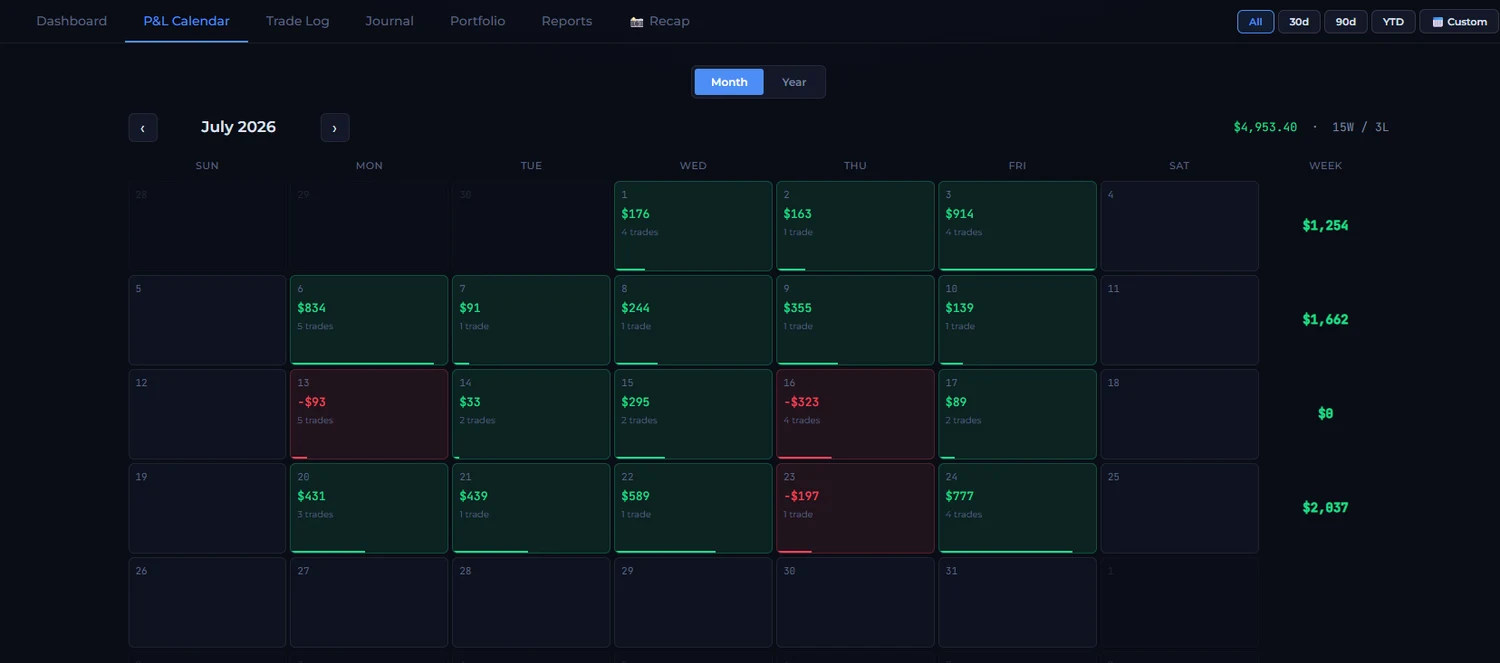
Download your Performance report from Tradovate, upload it, and see your P&L on every futures trade: a P&L calendar, your win rate, risk limits checked against your fills, and a recap card for every day.

Tradovate exports on a computer, from the web or desktop app.
Click the drop-down next to your account name, then the small gear icon. That opens Account Reports.
Open the Performance tab and set your date range.
Click Download CSV.
Then drop the file into The Scalpers Journal. It knows Tradovate’s format, so every fill lands in the right place, and uploading the same trades twice never doubles anything.
Good to know. Futures: P&L shows before fees. Tradovate’s Performance file doesn’t include commissions or exchange fees.
Tradovate shows your balance. The journal shows how you got there, trade by trade.
Every trading day colored by result, with weekly and monthly totals. Tap a day for its trades, notes and journal.
Max trades a day, max loss a day, losses in a row, loss per trade: each one checked against your real fills, every day.
Tag a trade “Chased” or “Revenge Trade” and the journal adds up what each habit cost you, in plain sentences.
Your day’s P&L and best trades on one clean image, ready to share. From your real fills, so nobody can fake it.
No. You download the Performance report and upload it. Your Tradovate login never touches our servers.
Not yet. Tradovate’s Performance report doesn’t include commissions or exchange fees, so your P&L shows before fees.
The P&L calendar, trade log and recap cards are free for your whole history, with no card. The full journal (dashboard, Scalper Score, rules, reports) is $30 a month.
Free to start. Upload a file and you'll have a P&L calendar in a minute.
Start free